# Managing Staff Profiles

#####   


<iframe allowfullscreen="allowfullscreen" height="314" src="https://www.youtube.com/embed/cNT5FQs3J3s" width="560"></iframe>

---

##### Anyone on staff can manage the staff roster and upload a profile photo, select the staff highlight color and initials or remove a staff member.

<p class="callout info">In previous seasons, staff was indicated by C1, C2 ... C5. Now, they are represented by their initials in a circle with a custom background color.</p>

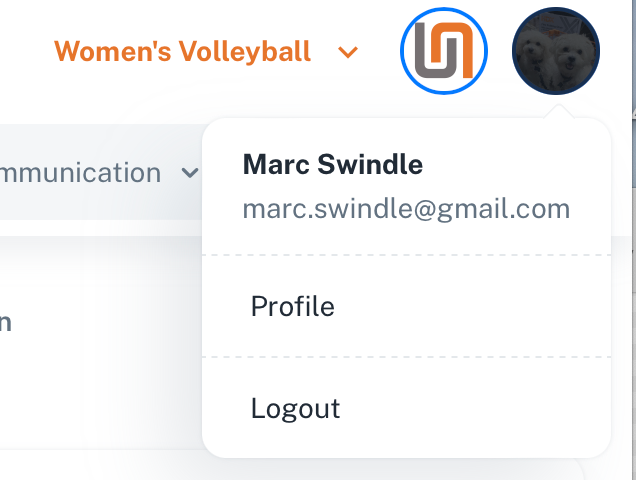
To edit your profile, select your profile Image in the upper right corner of the screen:
![image.png](https://docs.universityathlete.com/uploads/images/gallery/2023-12/scaled-1680-/dGdimage.png)

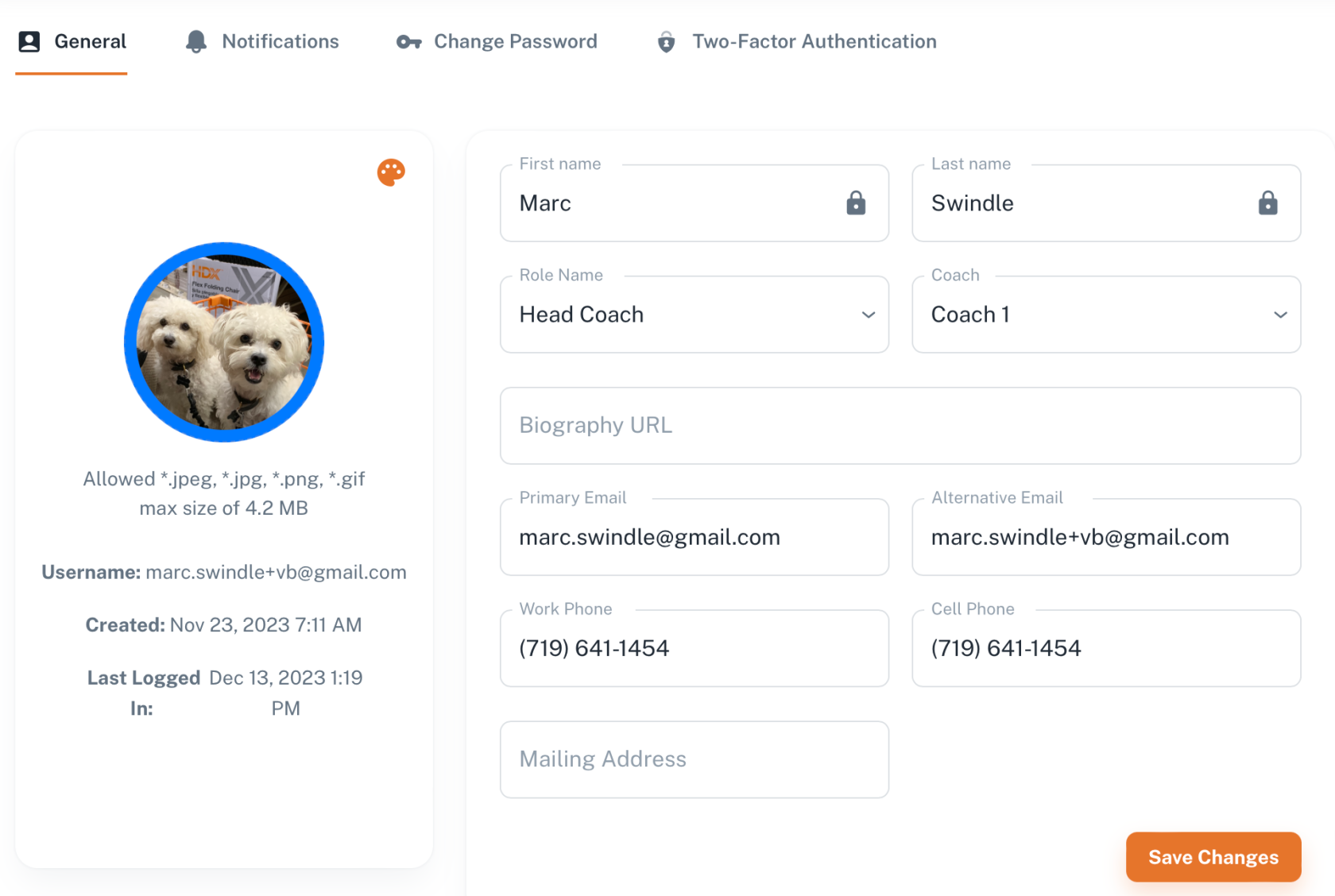
You will be able to edit most of your data, including uploading a profile photo, changing your initials, and selecting a custom color.
![image.png](https://docs.universityathlete.com/uploads/images/gallery/2023-12/scaled-1680-/CuRimage.png)