# Notes
##### Notes are connected to an athlete and written by a staff member or generated by system activities.
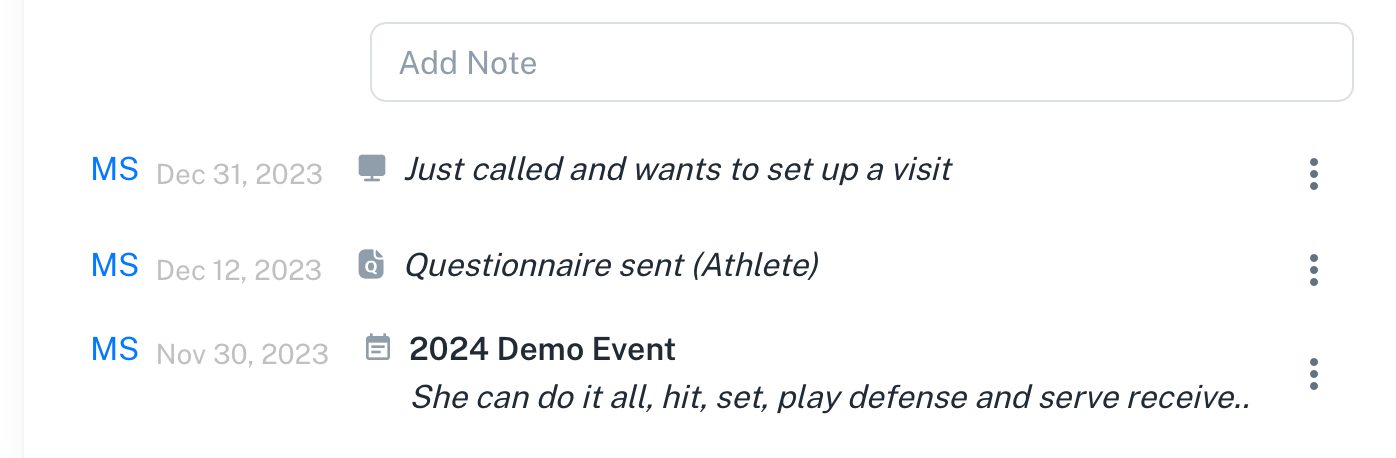
An athlete can have unlimited notes. Notes have categories such as *Questionnaire*, *Web*, *Video*, *Event, Email*. Each note has the initials of the staff member that created the note and a small icon next to the note so you know which type it is. Event notes have the name of the event as a title.
Notes are sorted from newest to oldest unless pinned.
[](https://docs.universityathlete.com/uploads/images/gallery/2023-12/28rimage.png)
---
##### To create a new note
Click the *Add Note* field, type the note, and click outside the text field to save.
[](https://docs.universityathlete.com/uploads/images/gallery/2023-12/91Uimage.png)
---
##### To edit an existing note
Click the text and make changes. Click outside the text field to save.
[](https://docs.universityathlete.com/uploads/images/gallery/2023-12/efXimage.png)
---
##### To pin a note
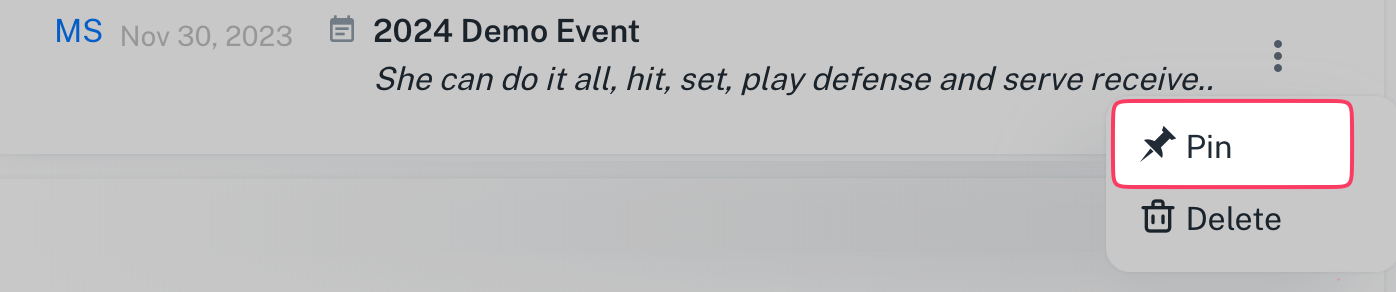
Select the Note's option menu and choose *Pin*.
[](https://docs.universityathlete.com/uploads/images/gallery/2023-12/HOmimage.png)
Pinned notes will stay at the top of an athletes notes list even if other notes are more recent.
---
##### To delete a note
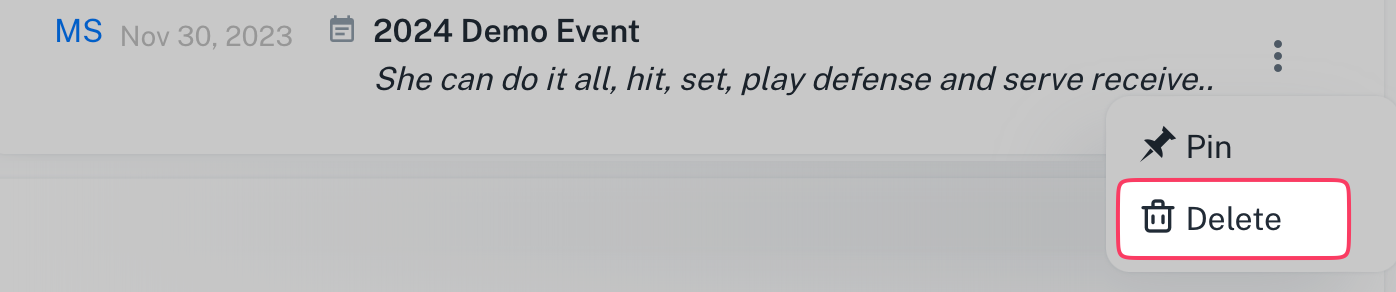
Select the Note's option menu and choose *Delete*.
[](https://docs.universityathlete.com/uploads/images/gallery/2023-12/9dHimage.png)
Deleting a note cannot be undone.
---
##### The main types of notes are:
- *Web* notes are usually notes added from desktop
- *Event* notes are added at a particular tournament using the UA app.
##### In addition there are system notes added automatically
- *Questionnaire* notes are added automatically when you send a questionnaire to the athlete
- *Video* notes are added when you make a note on a video sent to you from an athlete
- *Email* note appears when you use the *Email to Note* function