There is only one summary per athlete. Editing a Summary will change it for everyone on the staff.
##### ##### [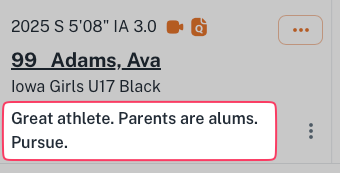](https://docs.universityathlete.com/uploads/images/gallery/2023-12/I1Aimage.png)Groups from 2023 will be migrated to Summary
--- ##### To add a Summary to an athlete Click the *+ Summary* symbol [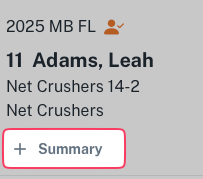](https://docs.universityathlete.com/uploads/images/gallery/2023-12/5mWimage.png) Enter the desired Summary and click *Save*. [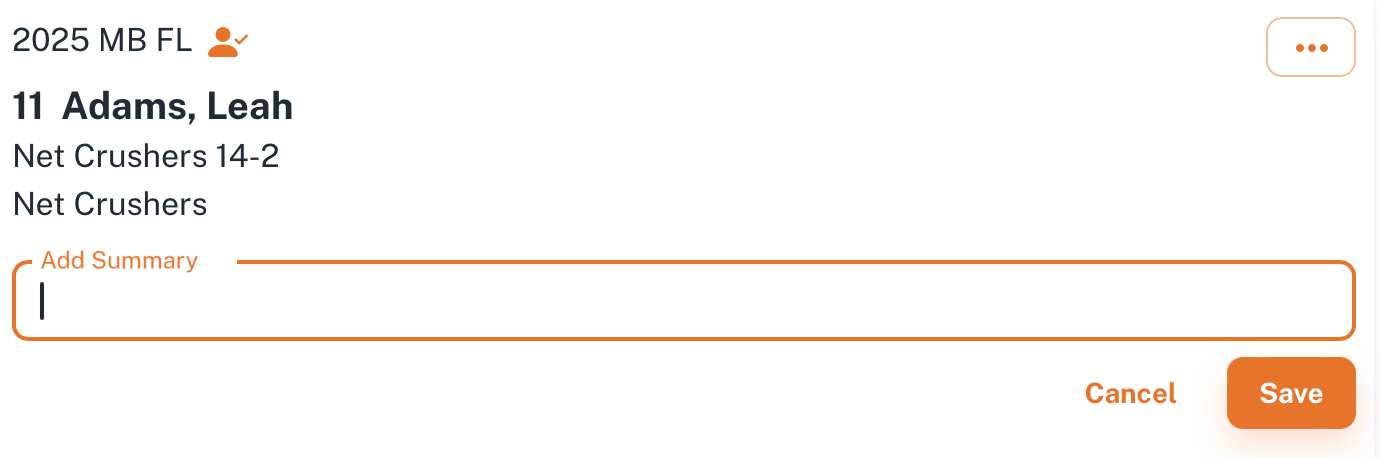](https://docs.universityathlete.com/uploads/images/gallery/2023-12/KMrimage.png) --- ##### To edit a Summary Click on the options icon and choose *Edit* [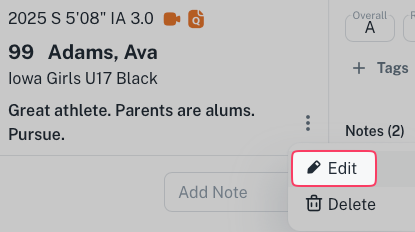](https://docs.universityathlete.com/uploads/images/gallery/2023-12/XWuimage.png) --- ##### To delete a Summary Click on the options icon, choose *Delete,* confirm deletion.Once confirmed, this action cannot be undone.